


Sat 14 Mar, 19:30Add to calendarAdded
Dates become events
A date on a screenshot turns into one tap on your calendar.
 Pixjar
Join the beta
Android · Private beta
Describe a folder in plain words and your screenshots file themselves into it. Find any of them in seconds, and clear the clutter in a tap.
Pixjar reads the words on every screenshot, right on your phone. Type one you remember and it’s there.
With Pro, and only if you say yes, a copy of each goes to Google’s AI once, so you can ask the way you’d remember it: “what I spent in Lisbon”.
Folders you fill yourself are free. With Pro, write what you want in your own words, and the AI picks from everything it has read. You tick what stays.
A folder for dinners I actually want to cookPro
The poke bowl, the wok noodles, that pasta from a reel. Picked by what’s on them, not when you took them.
A folder for everything for the Lisbon tripPro
The boarding pass, the loft, the viewpoint someone swore by. All in one place before you land.
A folder for anything that shows what I spentPro
Every receipt and transfer, without opening a single one. New ones get offered to the folder as they arrive.
A date on a screenshot turns into one tap on your calendar.
If the address is written there, it goes straight to your map.
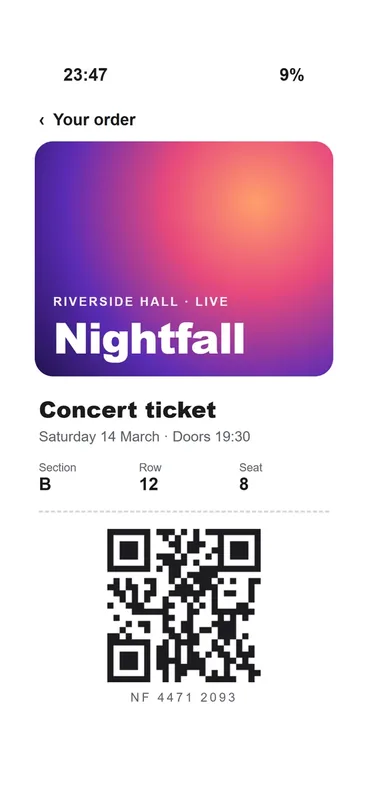
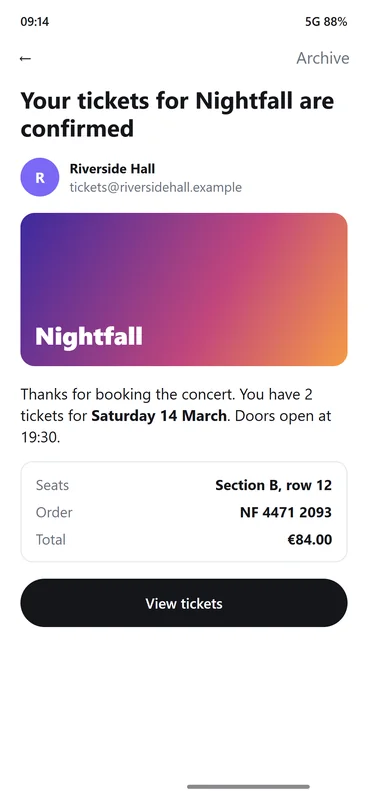

Boarding passes and event tickets find their own shelf.
Search, cleanup and your streak, one tap from your wallpaper.
Say what you remember, in English or Arabic.
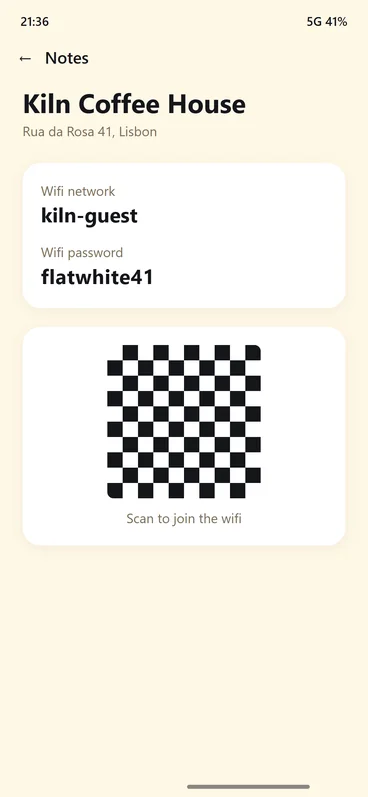
Anything you clear can come back for a month.
You go through them. Nothing goes without your yes, and anything you clear can come back for 30 days.
Duplicates, blurry shots, expired codes and old ones, lined up with the reason each was picked.
Give Visor one word. The screenshot is back before you’ve finished the thought.

No account, no sign-in, no ads. With Pro, and only if you say yes, a smaller copy of each screenshot goes to Google’s Gemini once to write its title and summary. It isn’t used to train Google’s models.
$0
Everything that runs on your phone.
$9.99 a month
or $79.99 a year. Tax added by Google Play.
Pixjar is a screenshot organizer for Android. It reads the words on every screenshot so you can find any of them by searching, finds duplicates, blurry shots and expired codes to clear, and keeps the screenshots you want in folders. With Pro, an AI gives each screenshot a title and a summary and fills folders you describe in your own words, and you tick what stays.
Yes. The free plan does everything that runs on your phone: search by the words on a screenshot, folders you fill yourself, every ready-made cleanup and smart actions like adding an event to your calendar. Pro adds the AI for $9.99 a month or $79.99 a year, plus tax.
Android phones with Android 12 or newer. There's no iPhone version yet.
Leave the Gmail address your Play Store signs in with. We add you to the test and email you a Google Play link: open it, tap Become a tester, then install Pixjar from Google Play. Please keep it installed for at least 14 days, since Google needs a test of that length before the app can open to everyone.
Joining is free. Pro is optional, at the normal price: $9.99 a month or $79.99 a year, plus tax.
There's no account and no ads. On the free plan your screenshots never leave your phone. With Pro, and only if you say yes, a smaller copy of each screenshot goes to Google's Gemini AI once to write its title and summary; it isn't used to train Google's models.
No. It suggests what to clear and why, you review it, and nothing goes without your yes. Cleared screenshots go to Android's own trash, where you can restore them for 30 days.
Joining is free. Pro is optional, at the normal price.

